> ## Documentation Index
> Fetch the complete documentation index at: https://trigger-triggering-docs.mintlify.site/llms.txt
> Use this file to discover all available pages before exploring further.

# Creating a project

> This guide will show you how to create a new Trigger.dev project.

## Prerequisites

* [Create a Trigger.dev account](https://cloud.trigger.dev)
* Login to the Trigger.dev [dashboard](https://cloud.trigger.dev)

## Create a new Trigger.dev project

<Steps>
  <Step title="Navigate to the Projects page">
    Click on "Projects" in the left hand side menu <Icon icon="circle-1" iconType="solid" size={20} color="F43F47" /> then click on "Create a new Project" button in the top right corner <Icon icon="circle-2" iconType="solid" size={20} color="F43F47" />.

    <img src="https://mintcdn.com/trigger-triggering-docs/-e3wtcGoz7UhIBPS/images/creating-a-project/creating-a-project-1.png?fit=max&auto=format&n=-e3wtcGoz7UhIBPS&q=85&s=baa17cef3f1f761d642013a35d2ba966" alt="Create a project page" width="1330" height="974" data-path="images/creating-a-project/creating-a-project-1.png" />
  </Step>

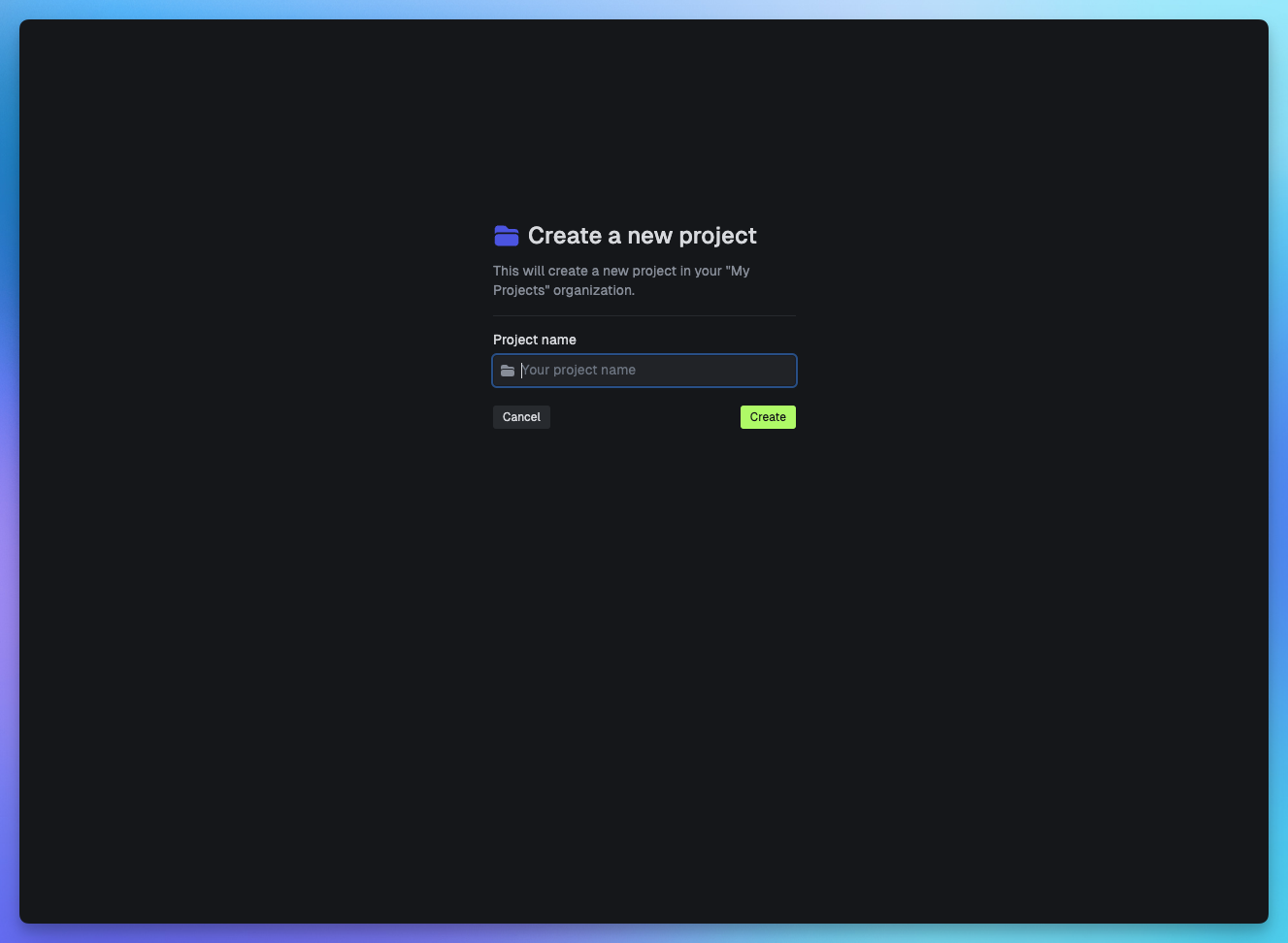
  <Step title="Name your project">
    <img src="https://mintcdn.com/trigger-triggering-docs/-e3wtcGoz7UhIBPS/images/creating-a-project/creating-a-project-2.png?fit=max&auto=format&n=-e3wtcGoz7UhIBPS&q=85&s=82e9ac600460cd4962bda15559670cd8" alt="Name your project" width="1327" height="972" data-path="images/creating-a-project/creating-a-project-2.png" />
  </Step>

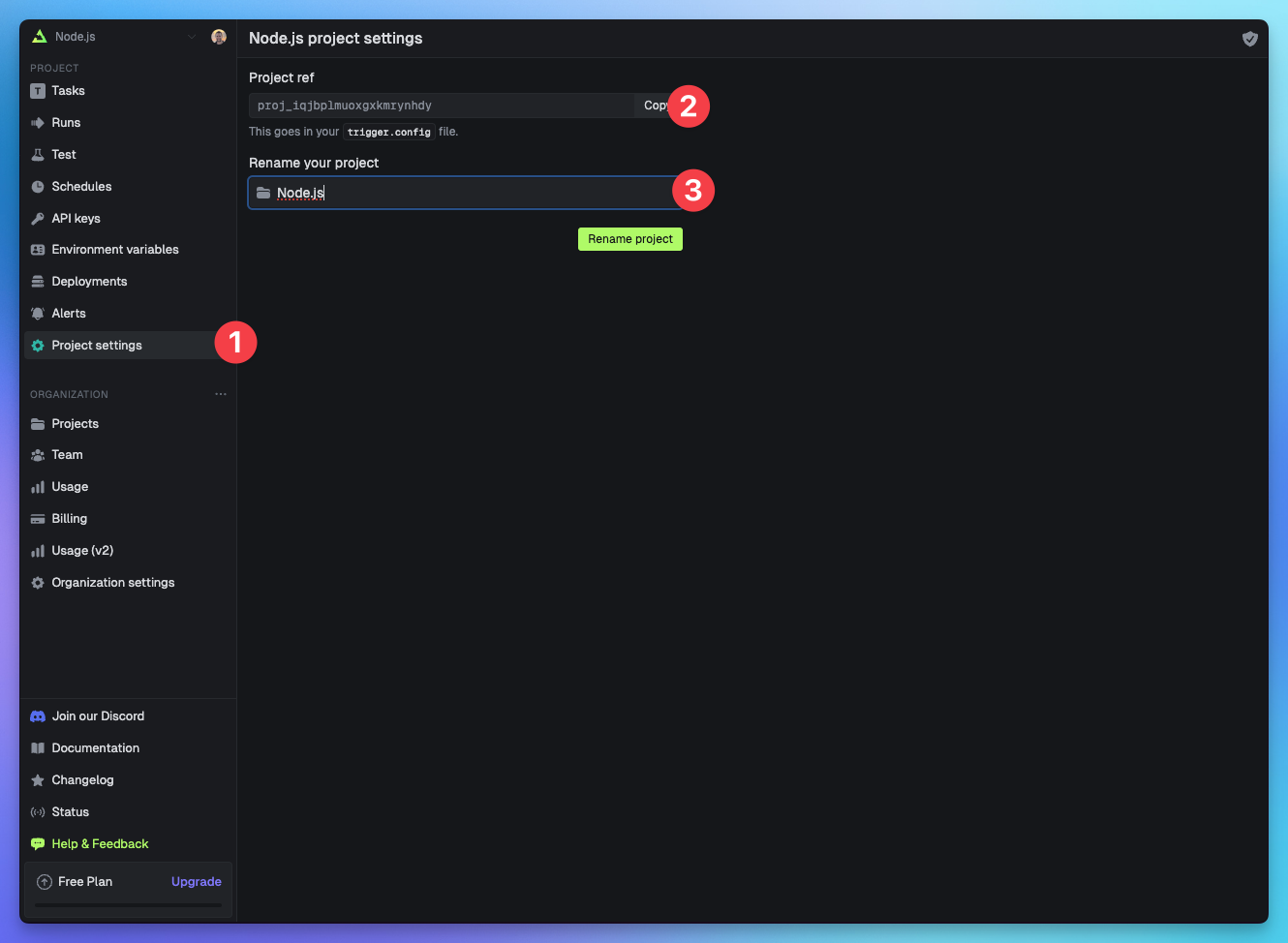
  <Step title="Useful project settings">
    Once you have created your project you can find your Project ref <Icon icon="circle-2" iconType="solid" size={20} color="F43F47" /> to add to your `trigger.config` file and rename your project <Icon icon="circle-3" iconType="solid" size={20} color="F43F47" /> by clicking "Project settings" <Icon icon="circle-1" iconType="solid" size={20} color="F43F47" /> in the left hand side menubar.

    <img src="https://mintcdn.com/trigger-triggering-docs/-e3wtcGoz7UhIBPS/images/creating-a-project/creating-a-project-3.png?fit=max&auto=format&n=-e3wtcGoz7UhIBPS&q=85&s=056220247224383b8a44d7f7805b253a" alt="Useful project settings" width="1330" height="974" data-path="images/creating-a-project/creating-a-project-3.png" />
  </Step>
</Steps>

## Useful next steps

<CardGroup>
  <Card title="Quick start" icon="person-running-fast" href="/quick-start">
    Setup Trigger.dev in 3 minutes
  </Card>

  <Card title="Writing tasks" icon="wand-magic-sparkles" href="/tasks/overview">
    Learn what tasks are and how to write them
  </Card>
</CardGroup>